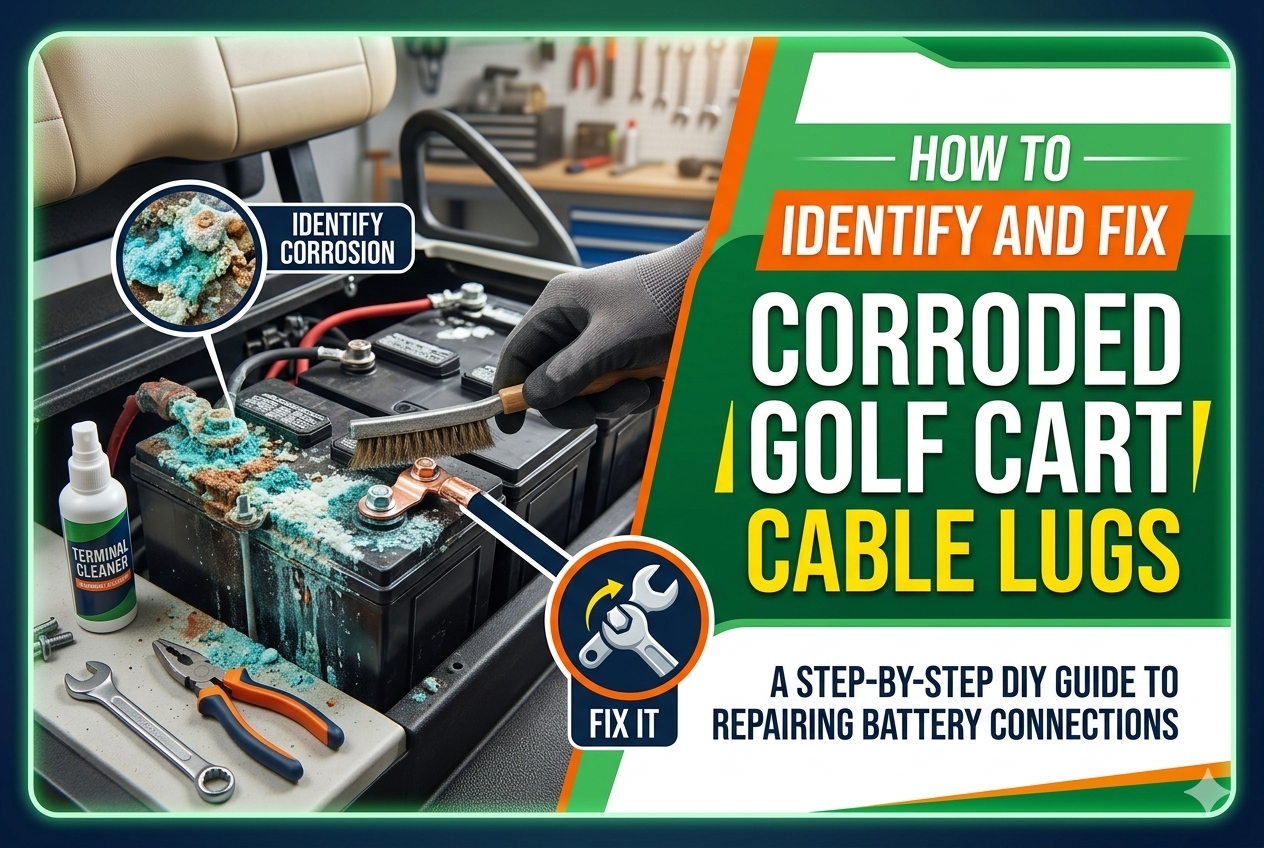
Whether you use your golf cart to cruise the fairways, navigate a gated community, or haul gear around a property, it relies heavily on a clean, uninterrupted flow of electrical power. At the heart of this system is the battery pack. However, one of the most common culprits behind a sluggish cart, intermittent power loss, or a completely dead engine isn’t a dead battery at all—it’s battery corrosion.
Specifically, corrosion loves to target golf cart cable lugs and the golf cart lug stud. Left unchecked, this silent menace can destroy your cables, ruin your battery terminals, and leave you stranded.
Here is a comprehensive guide on how to identify corroded lugs and safely fix them to get your cart running at peak performance.
Understanding the Enemy: Why Lugs Corrode
Golf cart batteries (especially traditional flooded lead-acid batteries) release hydrogen gas during the charging process. This gas carries microscopic droplets of sulfuric acid, which settle on nearby metal components.
When this acid reacts with the copper, brass, or lead in your golf cart cable lugs, a chemical reaction occurs. The result is that unsightly crusty white, blue, or green powder you often see blooming around the battery terminals.
Because golf carts are frequently exposed to moisture, dirt, and vibrations, this corrosive process accelerates quickly. When corrosion wedges itself between the golf cart lug stud and the cable lug, it creates electrical resistance. This resistance generates heat, restricts voltage flow, and can eventually melt the battery post entirely.
Phase 1: How to Identify Corroded Lugs
Catching corrosion early can save you hundreds of dollars in replacement batteries and wiring harnesses. Make it a habit to inspect your battery compartment every few months. Look for the following warning signs:
1. Visual Inspection
- The Crust Factor: Look for white, green, or blue powdery deposits blooming around the battery posts and cable ends.
- Swollen Insulation: If the plastic heat-shrink or rubber insulation near the golf cart cable lugs looks bloated or stretched, corrosion has likely crept inside the copper strands of the cable itself.
- Discoloration: Copper wires that have turned black or green instead of a bright, metallic penny-color are severely oxidized.
2. Physical and Operational Symptoms
- The “Click” but No Go: When you press the accelerator, you hear the solenoid click, but the cart doesn’t move or hesitates.
- Slow Charging or Rapid Discharging: Corroded connections trick your charger into thinking the batteries are full when they aren’t, or they drain the pack prematurely due to high resistance.
- Hot Terminals: After a short drive, carefully feel near the battery connections (do not touch bare metal). If a specific golf cart lug stud feels excessively hot, resistance is building up.
Phase 2: How to Clean Mildly Corroded Lugs
If the corrosion is superficial and the metal lug is still structurally sound, a thorough cleaning will do the trick.
Safety First
Warning: Golf cart battery packs hold significant voltage (usually 36V or 48V) capable of delivering a dangerous shock or causing a severe arc flash. Always wear safety goggles, rubber gloves, and remove all jewelry or metal watches before working. Use insulated wrenches if available.
Step-by-Step Cleaning Process
- Disconnect the Pack: Always disconnect the main positive and negative cables leading to the cart first to break the circuit.
- Mix the Solution: Mix one tablespoon of baking soda into a cup of warm water. Baking soda is a base that safely neutralizes the sulfuric acid.
- Apply and Scrub: Dip an old toothbrush or a wire battery brush into the solution and scrub the golf cart cable lugs and studs. You will see it fizz violently—this means it’s working.
- Rinse and Dry: Wipe away the residue with a clean cloth. Lightly rinse with a small amount of clean water (avoid flooding the battery tops) and dry thoroughly.
Phase 3: How to Fix and Replace Damaged Lugs
If the lug is cracked, brittle, or the copper wire inside has degraded into green mush, cleaning won’t fix it. You need to replace the lug.
Tools Needed:
- Heavy-duty wire cutters/strippers
- New heavy-gauge golf cart cable lugs (typically 4-gauge or 2-gauge)
- A specialized lug crimping tool (hammer-style or hydraulic)
- Heat-shrink tubing
- A heat gun or torch
Step 1: Cut and Strip the Cable
Cut the wire just behind the ruined lug. Use your wire strippers to remove about a half-inch of the rubber insulation. Inspect the exposed copper strands. If they are bright and shiny, proceed. If they are dark green or black, you must cut further back until you find clean copper, or replace the entire cable.
Step 2: Apply Heat-Shrink and Crimp
Slide a piece of heat-shrink tubing onto the cable first. Next, insert the bare copper wire into the barrel of the new golf cart cable lug. Use your crimping tool to compress the barrel tightly around the wire. A proper mechanical crimp ensures maximum electrical conductivity and won’t vibrate loose.
Step 3: Seal the Connection
Slide the heat-shrink tubing over the crimped barrel of the lug, slightly overlapping the wire insulation. Use a heat gun to shrink the tubing tightly around the joint. This seals out oxygen and moisture, preventing future internal corrosion.
Reassembly and Future Prevention
When putting everything back together, place the new golf cart cable lugs over the golf cart lug stud. Tighten the retaining nuts to the manufacturer’s specified torque (usually around 110–130 inch-pounds).
Pro Tip: Never over-tighten the nuts on a lead battery post, as you can easily strip the internal threads or pull the stud right out of the lead casing.
To ensure you don’t have to repeat this process anytime soon, apply a generous coating of commercial battery anti-corrosion spray or a thin layer of dielectric grease over the entire finished connection. This creates a hydrophobic barrier against acid fumes and moisture, keeping your golf cart running strong for miles to come.